Exercise 2: Blood Typing game
Now that you have gone through the basics of how blood typing works it is time to play a game and see how much you have learned. This game is meant to utilize the knowledge you gained from Exercise 1 and apply it to some real life scenarios. You will be working on figuring out blood types and figuring out what blood a patient could accept. Make sure you don't make the patient 'scream' as you kill them from the wrong blood....
As you go through the various missions think about which blood type can accept any other blood type? This is the universal recipient. Which blood type can donate to any other blood type? This is the universal donor.
PROCEDURE
1. Head over to https://educationalgames.nobelprize.org/educational/medicine/bloodtypinggame/
2. Click 'Play Blood Typing Game'.
3. Click 'Proceed' once it loads.
4. Select 'Mission Based Game'
5. Unless you happen to already have an account choose 'First Time' and register for an account. You do NOT have to put in an accurate email address. Just choose something, then a nickname and password.
6. Click 'Start Playing' once you are registered.
7. Select the first mission and keep playing the game until you have accumulated at least a total of 10 successes in Blood Typing and at least 20 successes in Blood Transfusion.
8. You can see your results by clicking 'Main Menu' in the game and then 'Your Scores'. A chart will look something like the following Figure 1.
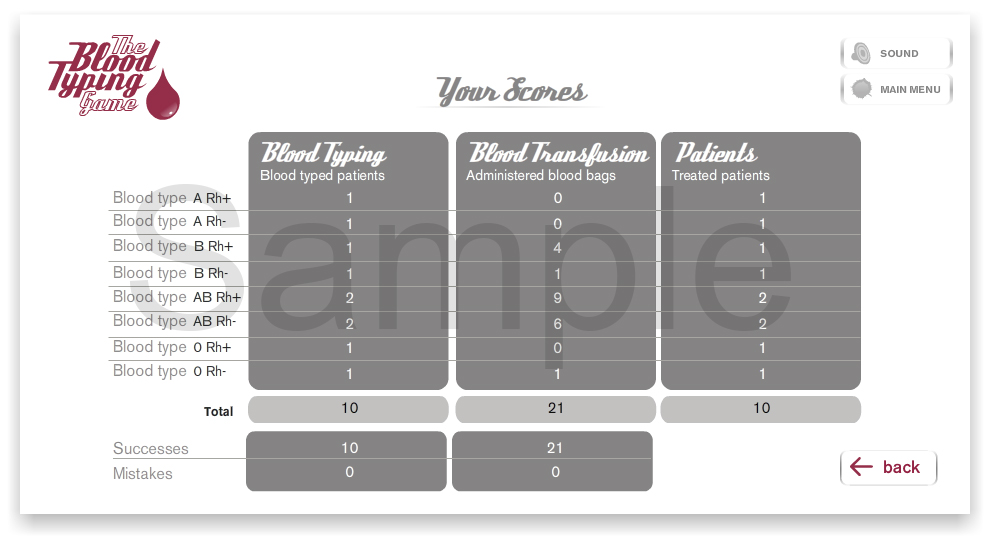
Figure 1
9. Once you have achieved the required numbers either take a screen capture (on PC there is a 'PrtScn' button usually that would do this >> then open a text document and paste) or take a picture of the chart and send the picture along with the lab report. |