Move and zoom: drag the image to move it, or double-click to zoom in. Hold Ctrl (⌘ on a Mac) and scroll to zoom. On a touch screen, drag to move and pinch to zoom. With a keyboard, Tab to the image, then use the ← ↑ → ↓ keys to move, + and − to zoom, and 0 to reset. The buttons and slider above do the same thing, including the four arrow buttons for moving the image.
Open the full-size image in its own pageDescription of this slide
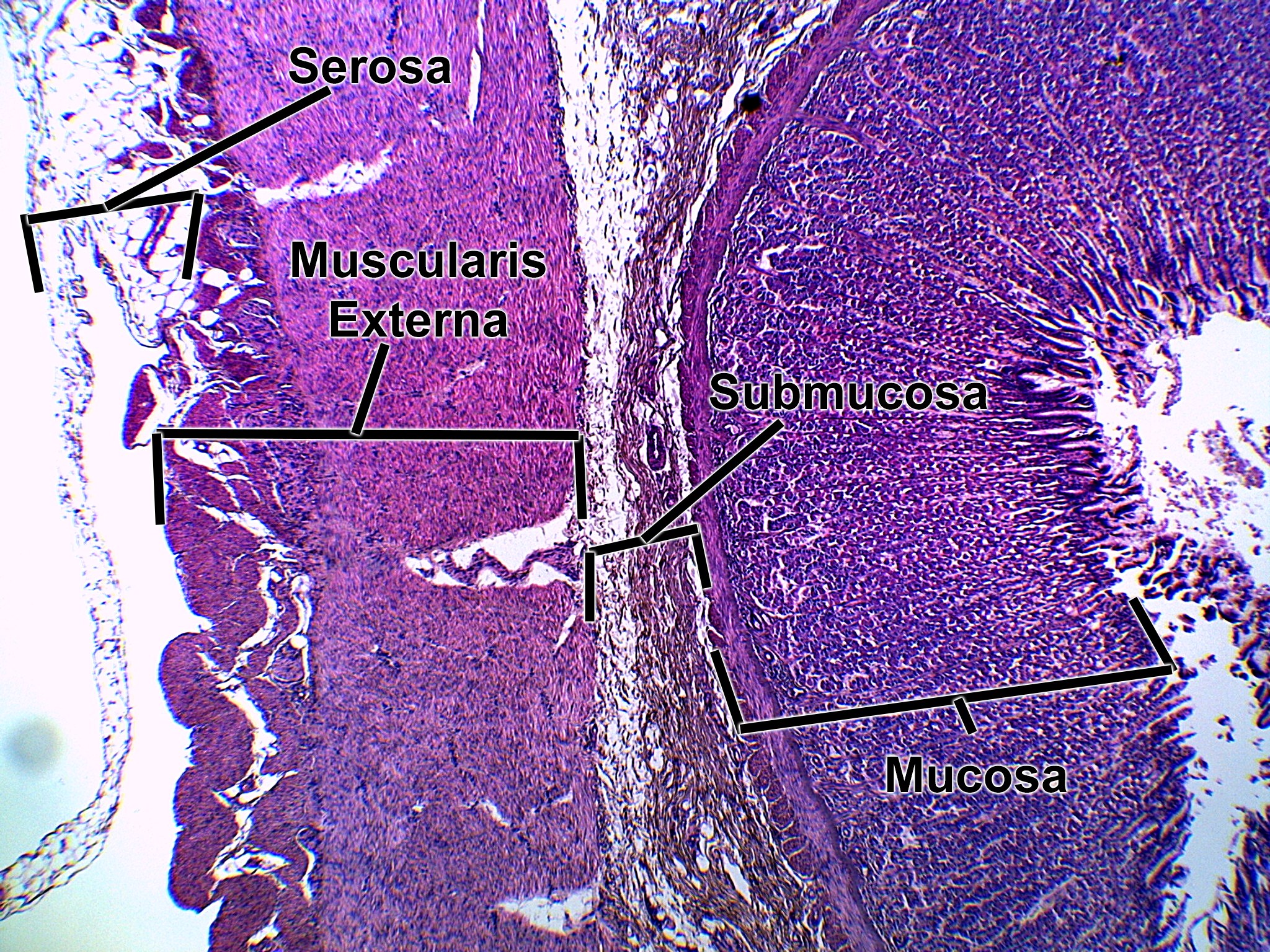
Very low-power view of the stomach wall, with the lumen at the far right. The mucosa is the thick, dark purple layer on the right, packed with closely spaced gastric glands that open toward the lumen. Next is a pale, narrow submucosa. The muscularis externa is the thick, pink band of smooth muscle on the left. The serosa is the thin outer covering at the far left, next to some fat tissue.