Move and zoom: drag the image to move it, or double-click to zoom in. Hold Ctrl (⌘ on a Mac) and scroll to zoom. On a touch screen, drag to move and pinch to zoom. With a keyboard, Tab to the image, then use the ← ↑ → ↓ keys to move, + and − to zoom, and 0 to reset. The buttons and slider above do the same thing, including the four arrow buttons for moving the image.
Open the full-size image in its own pageDescription of this slide
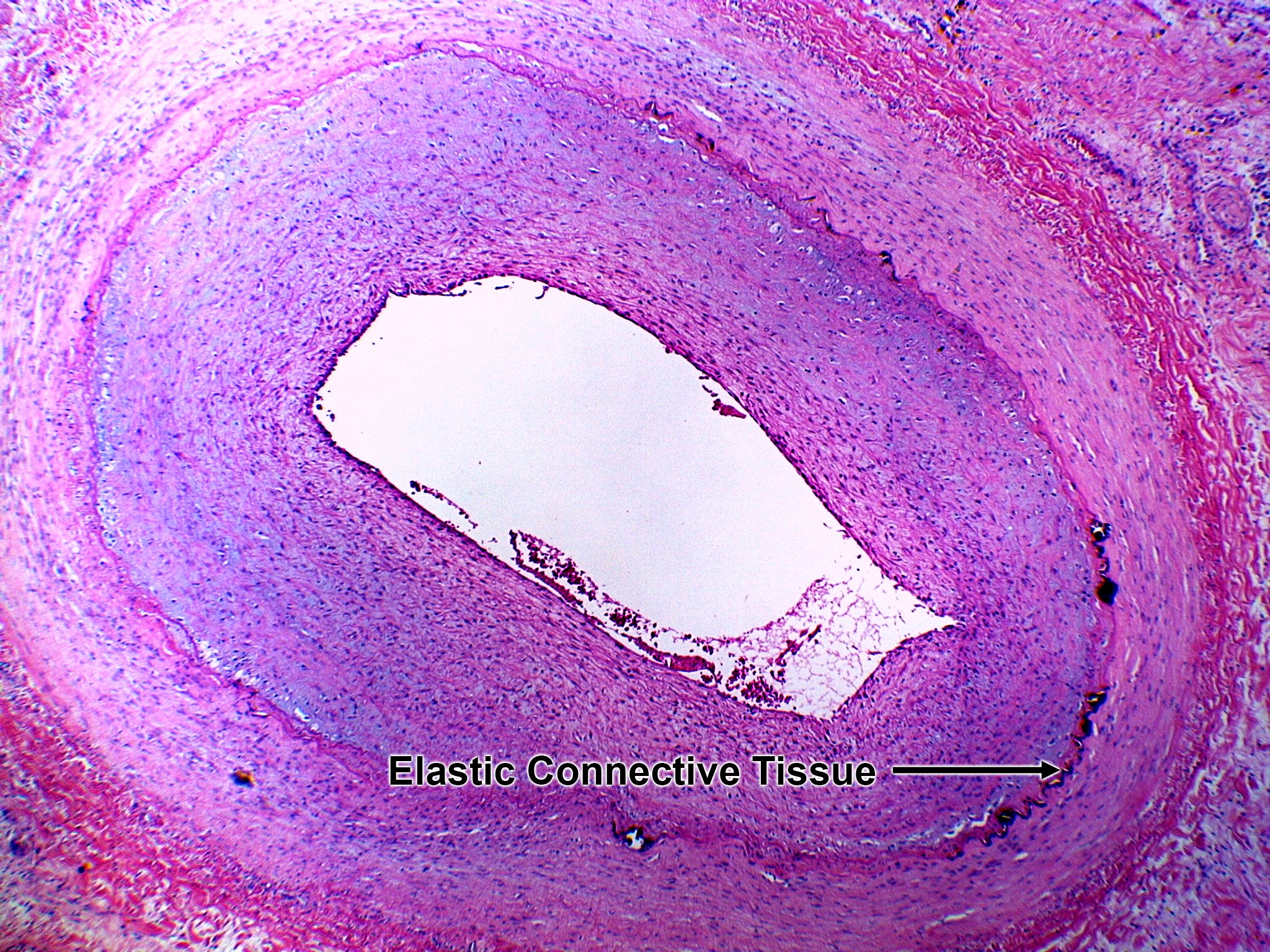
This is the same artery slide as the unlabeled version, with one label added. Near the bottom, the words “Elastic Connective Tissue” appear in black, with one black arrow pointing to the right.
Labels in this image
- Elastic connective tissue: the label is in the lower half, right of center. A long black arrow points to the right, to the thin, dark, jagged line at the lower right of the wall. This line marks the edge between the thick bluish-purple band and the broad pink outer band.