Move and zoom: drag the image to move it, or double-click to zoom in. Hold Ctrl (⌘ on a Mac) and scroll to zoom. On a touch screen, drag to move and pinch to zoom. With a keyboard, Tab to the image, then use the ← ↑ → ↓ keys to move, + and − to zoom, and 0 to reset. The buttons and slider above do the same thing, including the four arrow buttons for moving the image.
Open the full-size image in its own pageDescription of this slide
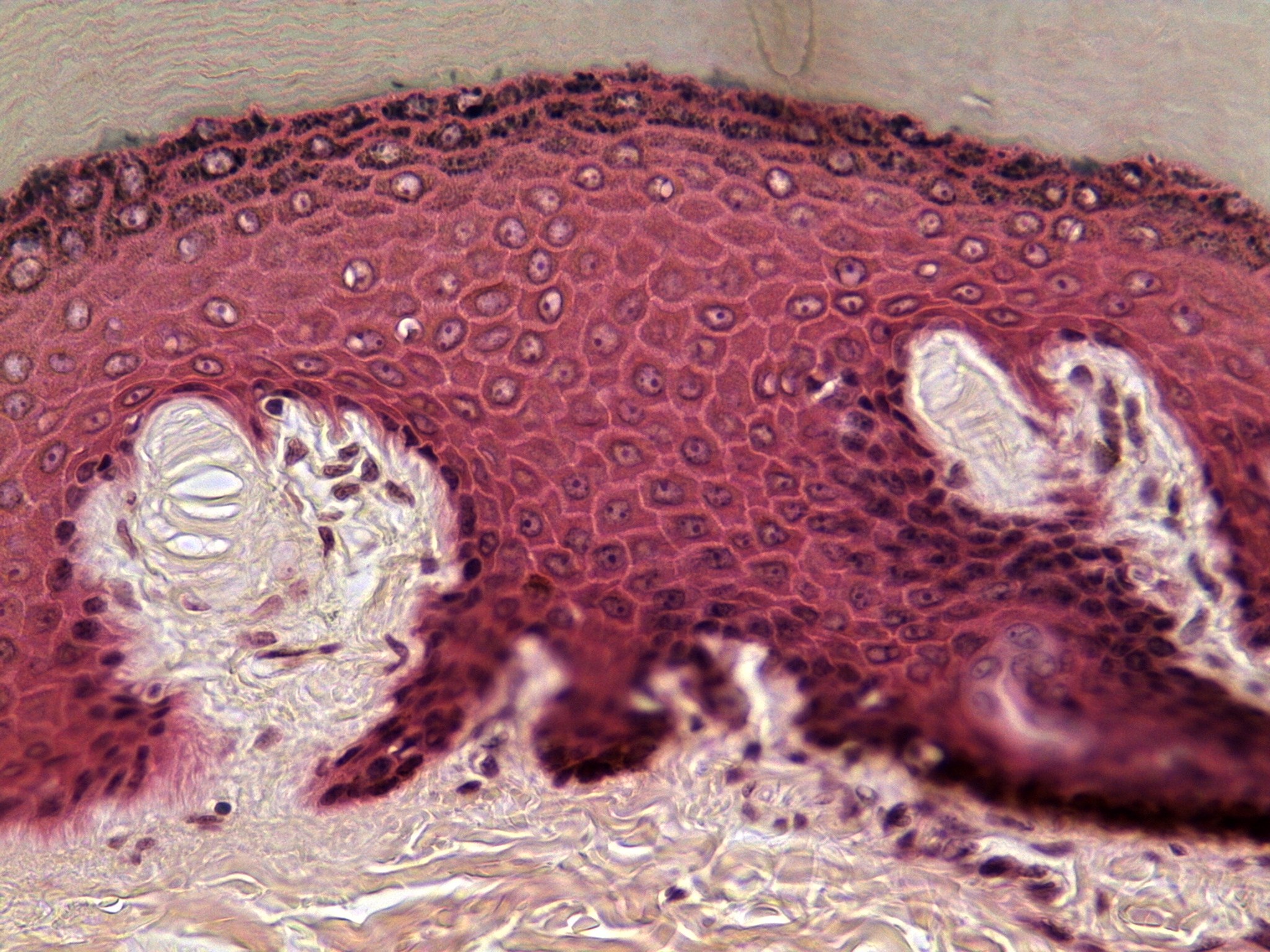
Skin at high power, stained pink-red and purple, with a pale gray-green background along the top. A dome-shaped band of many-layered cells fills the upper two-thirds of the picture. At the very top edge, the cells are thin and flat, and dark and speckled. Below them, larger rounded cells, each with a round nucleus and a thin pale outline, fill a deep pink-red band. Two pale, finger-like projections of tissue push up into this band from below. The one on the left is rounded, with a pale oval structure made of stacked, flattened layers near its top and wispy pale tissue underneath. The one on the right is longer and tilted, with a split tip. Between them, crowded dark purple cells and a few small pale pegs sit above pale, wispy fibrous tissue with scattered dark nuclei along the bottom.